Inside the OmniAI Platform.
Everything your team needs — in one powerful workspace.
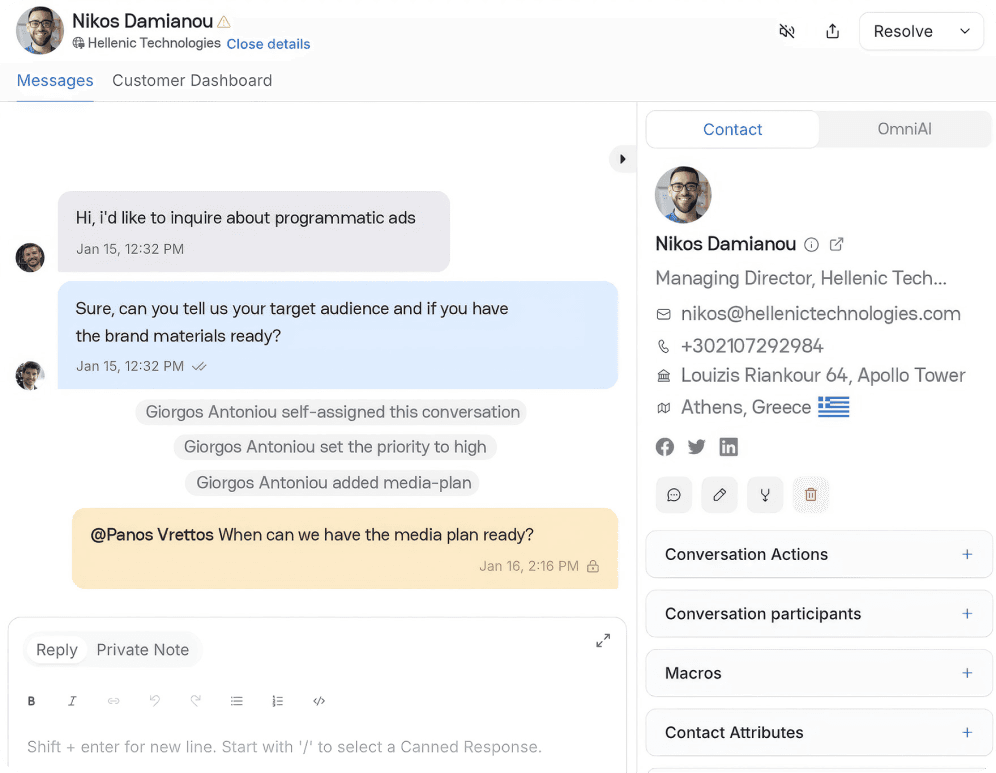
Equip agents with full visibility
Instantly access chat history, notes, contact info, and smart response tools — all in one streamlined view.


Guide every user to the right outcome
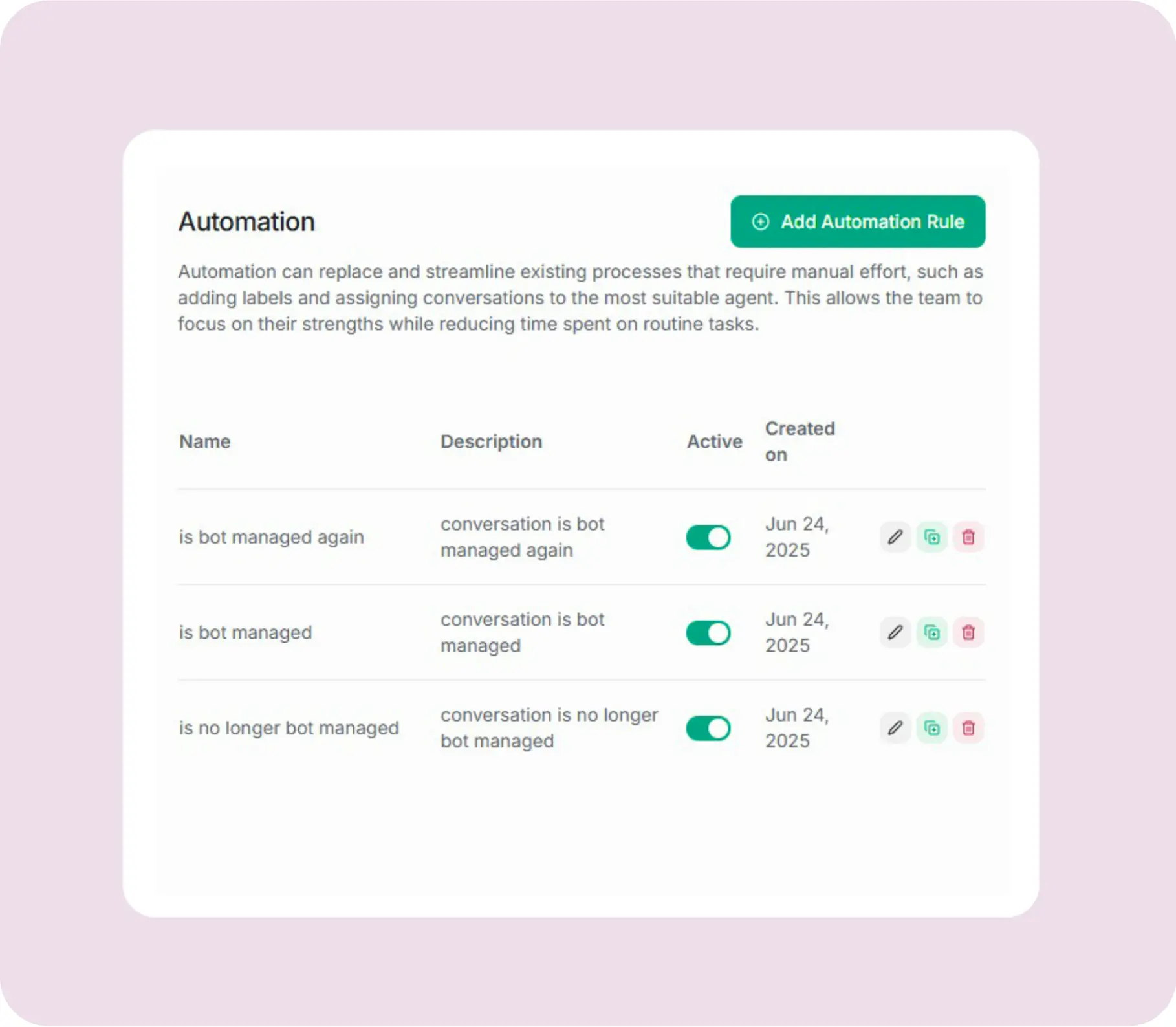
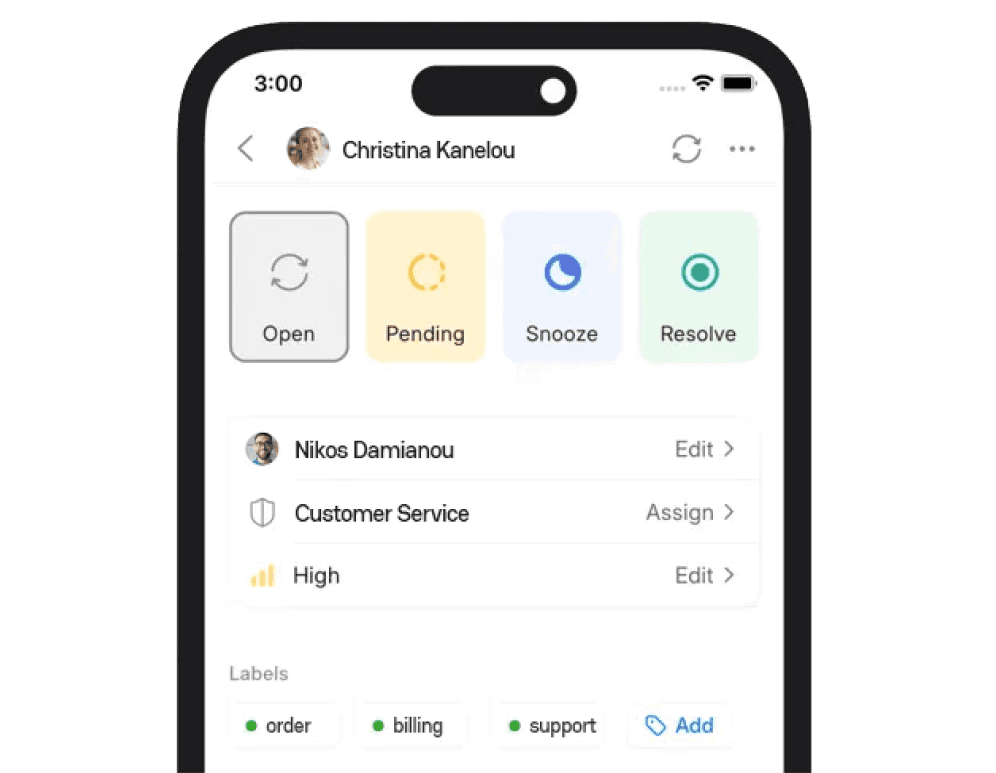
Build structured flows that qualify leads, route issues, and automate next steps — no manual tagging needed.
Secure collaboration made simple
Use role-based permissions to control data access — without slowing down teamwork.
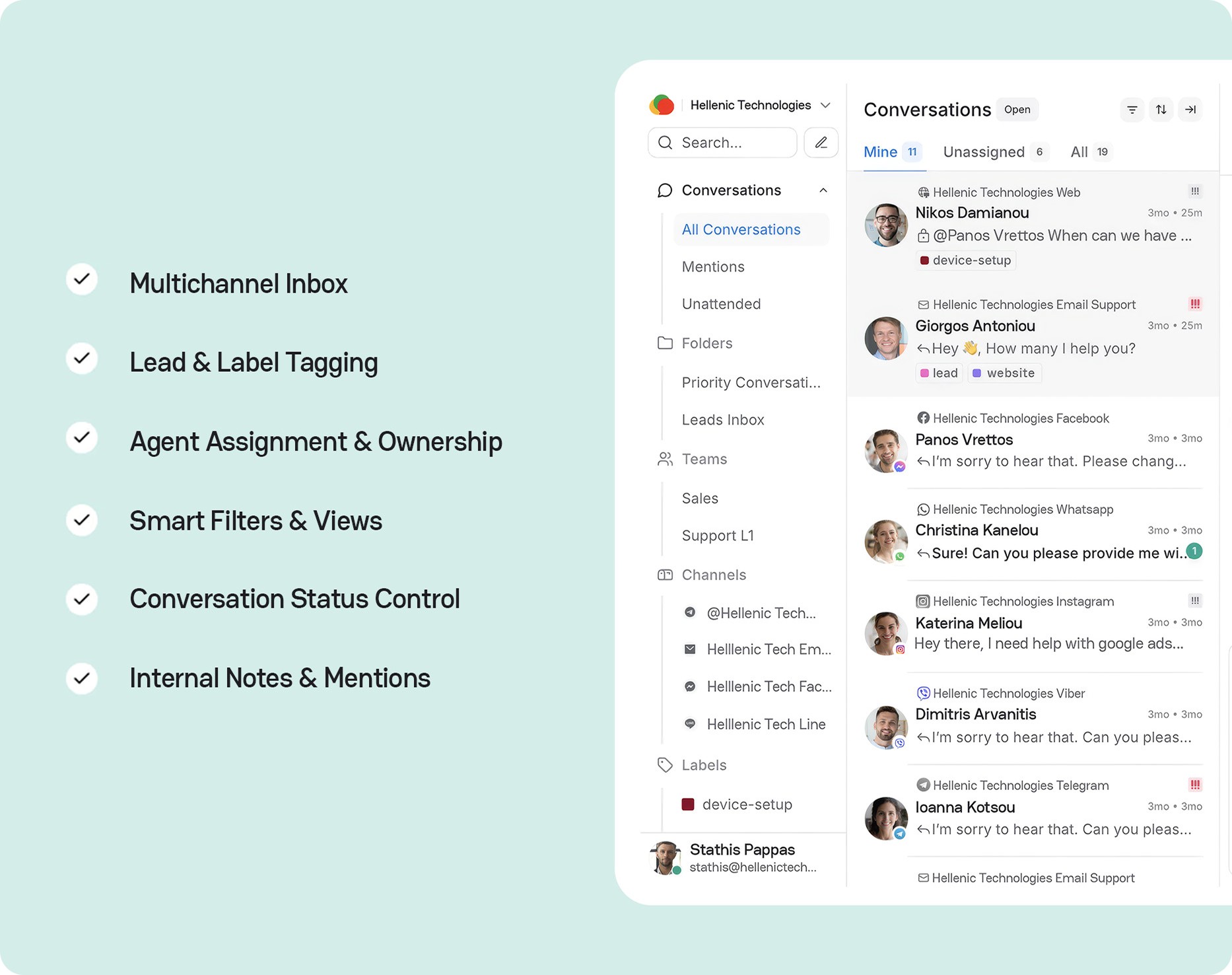


Smart chatbot solution for interactions.
AI-Powered Message Understanding
Instantly detect intent, urgency, and sentiment to triage every message.

AI-Powered Message Understanding
Instantly detect intent, urgency, and sentiment to triage every message.

AI-Powered Message Understanding
Instantly detect intent, urgency, and sentiment to triage every message.

AI-Powered Message Understanding
Instantly detect intent, urgency, and sentiment to triage every message.

Handoff Rules & Escalation Triggers
Auto-escalate to humans when sentiment drops, confidence fades, or urgency spikes.
Handoff Rules & Escalation Triggers
Auto-escalate to humans when sentiment drops, confidence fades, or urgency spikes.

Handoff Rules & Escalation Triggers
Auto-escalate to humans when sentiment drops, confidence fades, or urgency spikes.

Handoff Rules & Escalation Triggers
Auto-escalate to humans when sentiment drops, confidence fades, or urgency spikes.

Internal Notes & Agent Collaboration
Share notes, tag teammates, and streamline multi-agent workflows.

Internal Notes & Agent Collaboration
Share notes, tag teammates, and streamline multi-agent workflows.

Internal Notes & Agent Collaboration
Share notes, tag teammates, and streamline multi-agent workflows.

Internal Notes & Agent Collaboration
Share notes, tag teammates, and streamline multi-agent workflows.
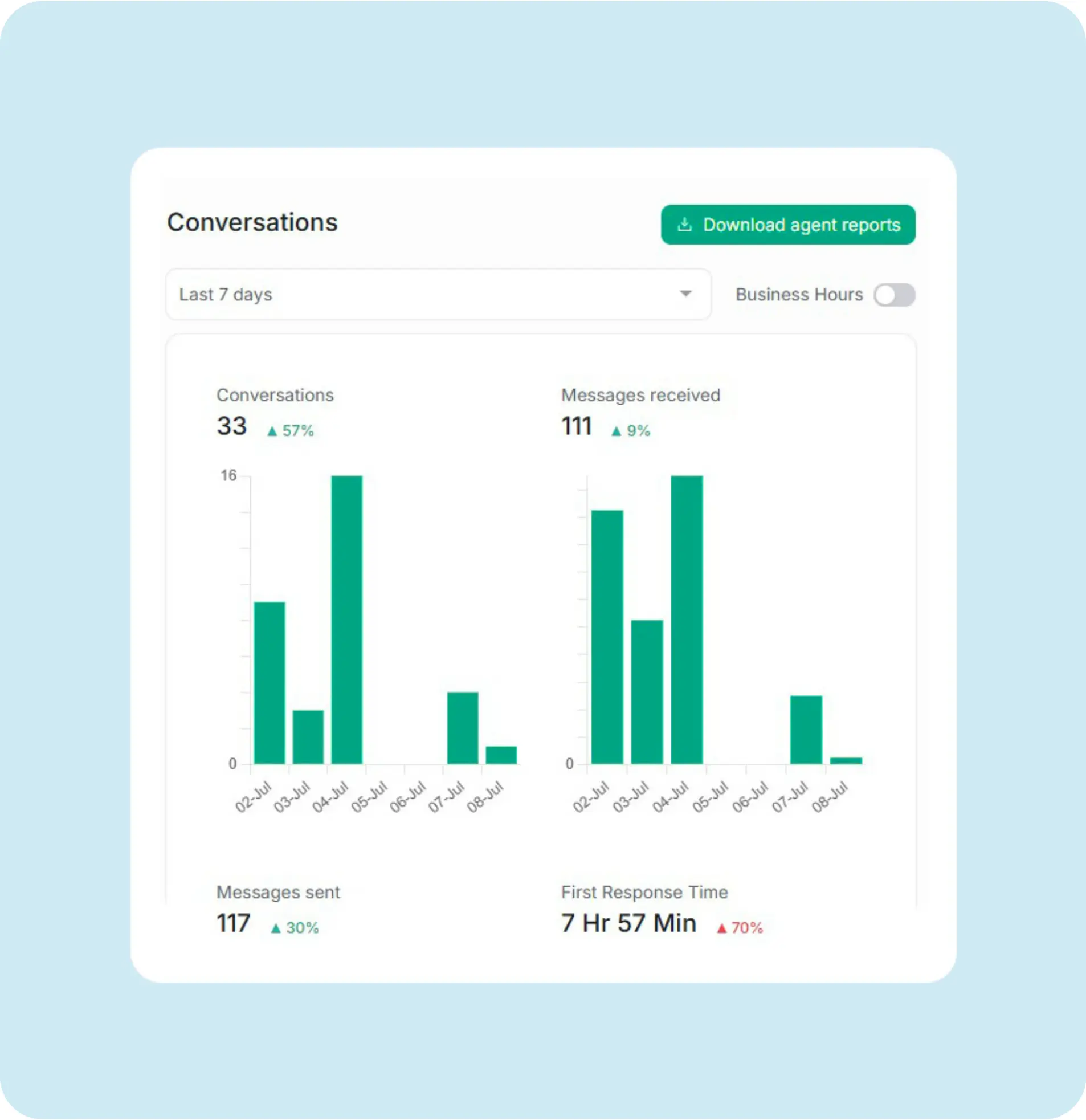
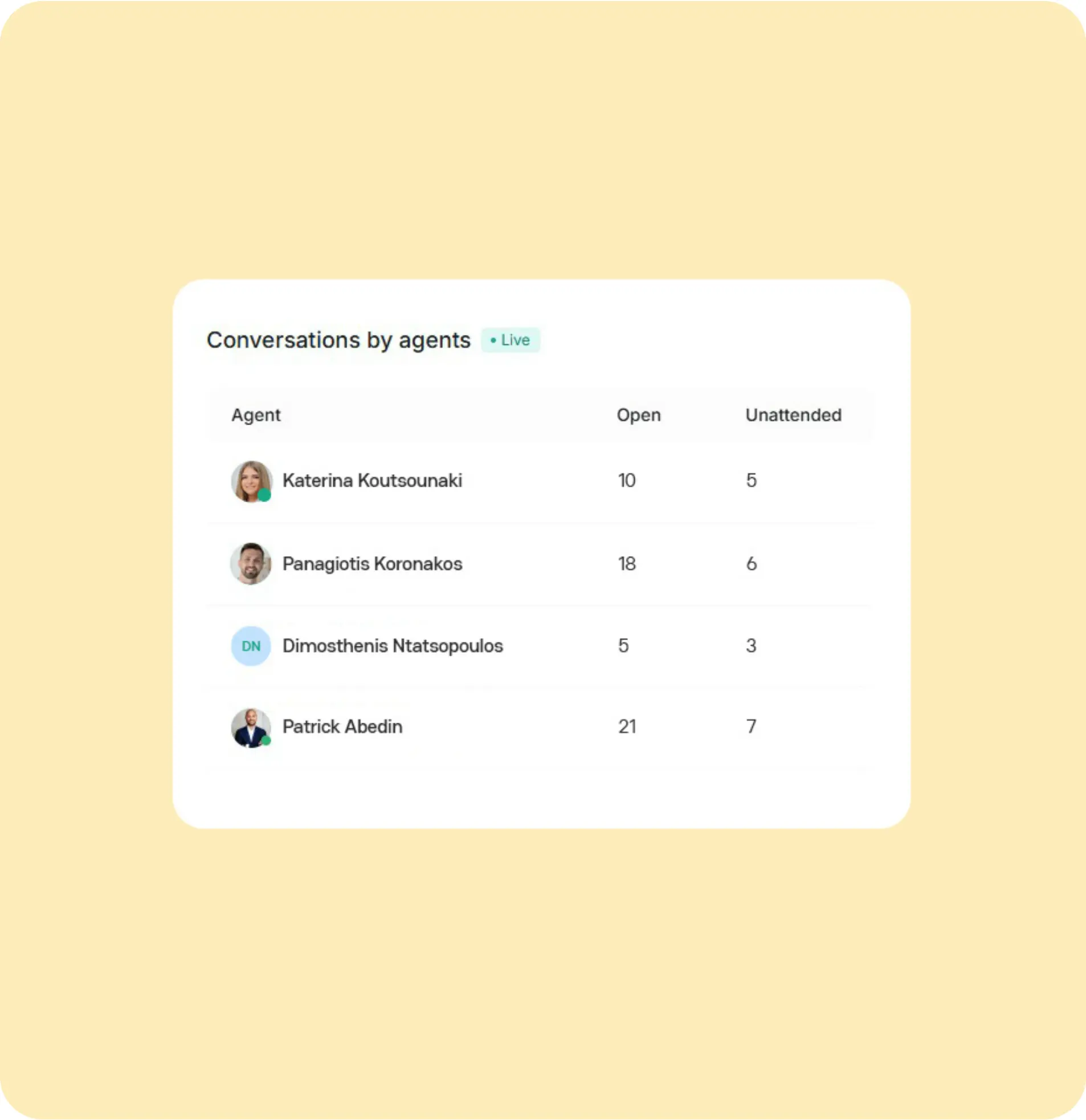
AI Performance Insights


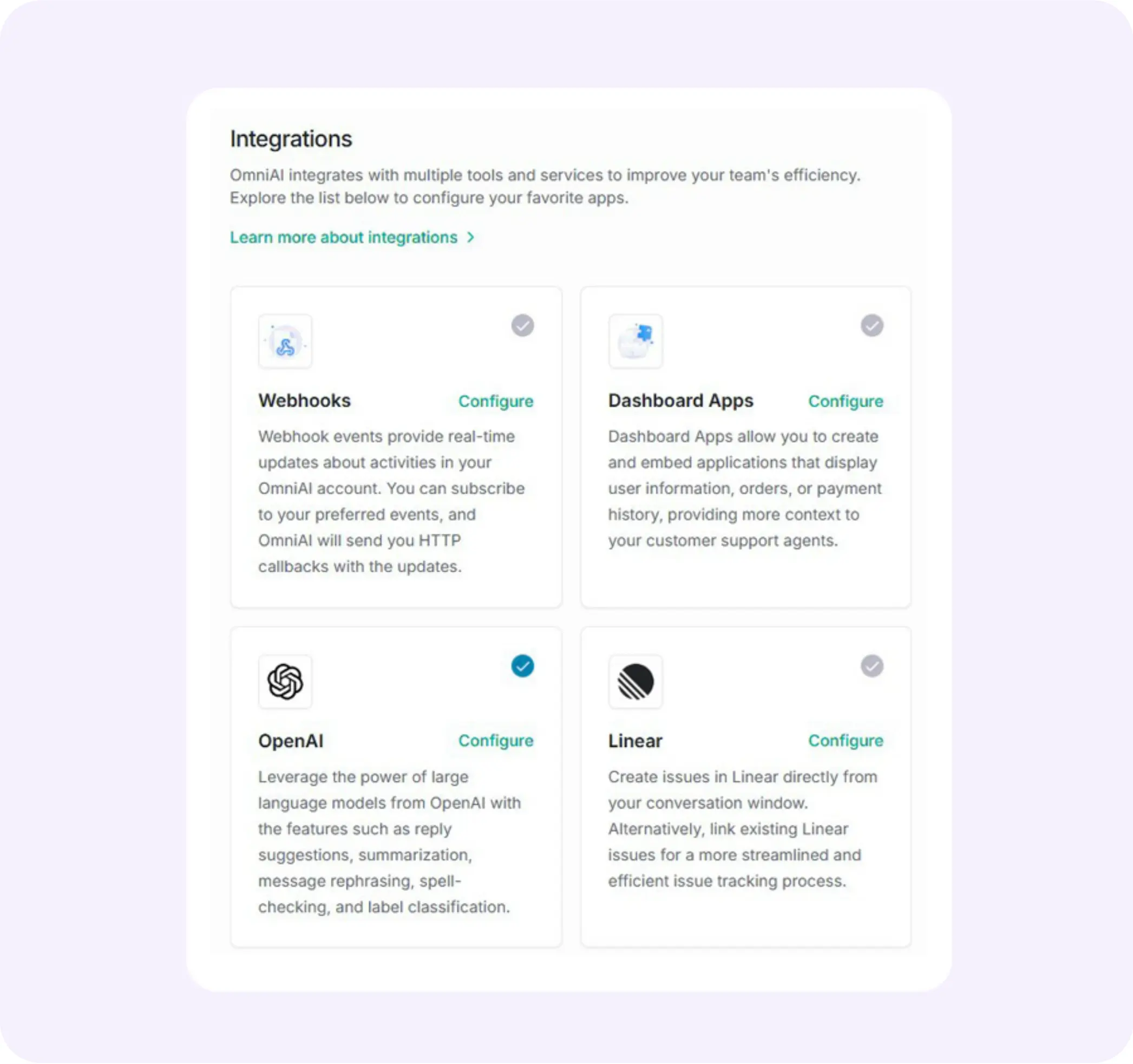
Integrations Hub
Easily connect with your tools — CRM, Email, Shopify, Meta, and more. Sync customer data across systems in real-time.
Powerful Tool Integrations
Connect OmniAI with your everyday tools like Shopify, Slack, and Google Sheets. Keep customer data in sync and extend automation across platforms.
Streamlined Workflows
Automate routine tasks by linking CRM platforms, and ticketing systems. Spend less time switching tabs and more time helping customers.
Secure, Real-Time Sync
All integrations run on secure APIs with instant updates — ensuring your team always has the latest context, without compromising data integrity.

Powerful Tool Integrations
Connect OmniAI with your everyday tools like Shopify, Slack, and Google Sheets. Keep customer data in sync and extend automation across platforms.
Streamlined Workflows
Automate routine tasks by linking CRM platforms, and ticketing systems. Spend less time switching tabs and more time helping customers.
Secure, Real-Time Sync
All integrations run on secure APIs with instant updates — ensuring your team always has the latest context, without compromising data integrity.

Powerful Tool Integrations
Connect OmniAI with your everyday tools like Shopify, Slack, and Google Sheets. Keep customer data in sync and extend automation across platforms.
Streamlined Workflows
Automate routine tasks by linking CRM platforms, and ticketing systems. Spend less time switching tabs and more time helping customers.
Secure, Real-Time Sync
All integrations run on secure APIs with instant updates — ensuring your team always has the latest context, without compromising data integrity.

Powerful Tool Integrations
Connect OmniAI with your everyday tools like Shopify, Slack, and Google Sheets. Keep customer data in sync and extend automation across platforms.
Streamlined Workflows
Automate routine tasks by linking CRM platforms, and ticketing systems. Spend less time switching tabs and more time helping customers.
Secure, Real-Time Sync
All integrations run on secure APIs with instant updates — ensuring your team always has the latest context, without compromising data integrity.


Reusable Automation Blocks
Create and reuse automation flows — like order tracking or lead routing — across bots and channels, without starting from scratch.
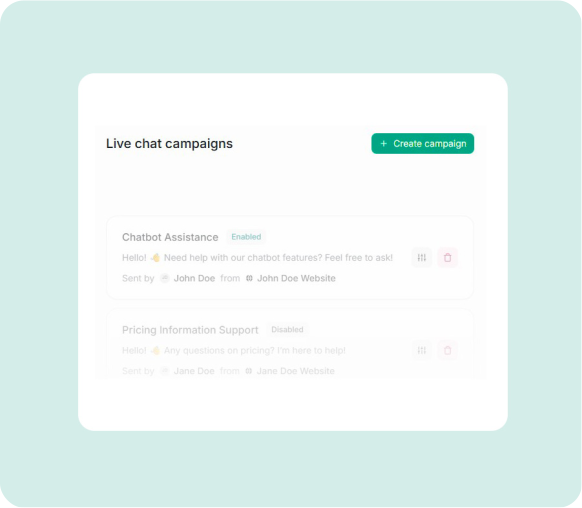
Proactive Campaigns That Drive Action
Trigger live chat or SMS campaigns to re-engage leads, onboard new users, or spark conversions — all within OmniAI.
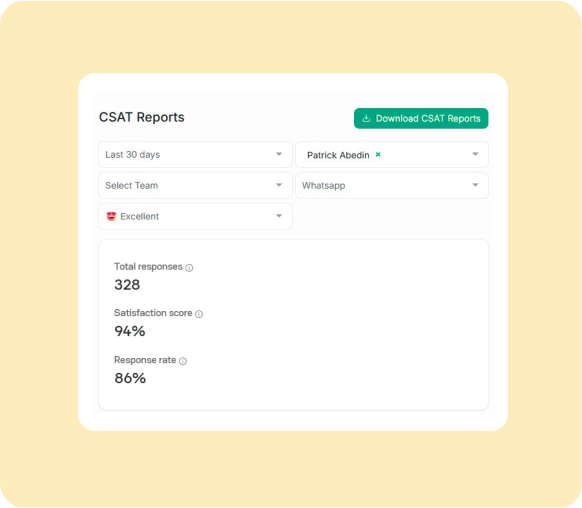
Track Customer Satisfaction & Service Quality
Monitor satisfaction scores, response times, and handoff quality — so your team hits every support benchmark.
What users are saying about OmniAI.
Frequently asked questions
Omni AI is designed to answer common questions and simplify setup, scalability, and support — all from one intelligent platform.
What’s the difference between the plans?
OmniAI plans scale with your business — from testing the system to running full automation across teams and channels.
Starter → Best for exploring the platform. You can test OmniAI’s chat interface and understand how AI replies and automation work.
Growth → Ideal for small teams ready to manage customer or candidate conversations, automate FAQs, and use the Help Center for accurate responses.
Pro → Perfect for growing businesses that need team roles, shared conversations, and more AI capacity for day-to-day support.
Business → Designed for enterprises or agencies that need white-label branding, advanced automations, and full AI control across multiple channels.
Each plan is priced per agent (seat) — meaning each team member with access to the OmniAI dashboard counts as one seat.
Example:
If your support team has 3 members using OmniAI (each with their own login and dashboard access) on the Pro plan, your total would be 3 × $49 = $147/month.
💡 In short: Start simple, scale as you grow — and only pay for the agents who actively use OmniAI.
What do we mean by “custom n8n AI agents”?
What does “Web Search” mean?
How does OmniAI work?
How does OmniAI use real-time RAG and the Help Center? Can I train it on my own data or documents?
Does OmniAI learn automatically from resolved conversations?
What’s the difference between the plans?
OmniAI plans scale with your business — from testing the system to running full automation across teams and channels.
Starter → Best for exploring the platform. You can test OmniAI’s chat interface and understand how AI replies and automation work.
Growth → Ideal for small teams ready to manage customer or candidate conversations, automate FAQs, and use the Help Center for accurate responses.
Pro → Perfect for growing businesses that need team roles, shared conversations, and more AI capacity for day-to-day support.
Business → Designed for enterprises or agencies that need white-label branding, advanced automations, and full AI control across multiple channels.
Each plan is priced per agent (seat) — meaning each team member with access to the OmniAI dashboard counts as one seat.
Example:
If your support team has 3 members using OmniAI (each with their own login and dashboard access) on the Pro plan, your total would be 3 × $49 = $147/month.
💡 In short: Start simple, scale as you grow — and only pay for the agents who actively use OmniAI.
What do we mean by “custom n8n AI agents”?
What does “Web Search” mean?
How does OmniAI work?
How does OmniAI use real-time RAG and the Help Center? Can I train it on my own data or documents?
Does OmniAI learn automatically from resolved conversations?
What’s the difference between the plans?
OmniAI plans scale with your business — from testing the system to running full automation across teams and channels.
Starter → Best for exploring the platform. You can test OmniAI’s chat interface and understand how AI replies and automation work.
Growth → Ideal for small teams ready to manage customer or candidate conversations, automate FAQs, and use the Help Center for accurate responses.
Pro → Perfect for growing businesses that need team roles, shared conversations, and more AI capacity for day-to-day support.
Business → Designed for enterprises or agencies that need white-label branding, advanced automations, and full AI control across multiple channels.
Each plan is priced per agent (seat) — meaning each team member with access to the OmniAI dashboard counts as one seat.
Example:
If your support team has 3 members using OmniAI (each with their own login and dashboard access) on the Pro plan, your total would be 3 × $49 = $147/month.
💡 In short: Start simple, scale as you grow — and only pay for the agents who actively use OmniAI.
What do we mean by “custom n8n AI agents”?
What does “Web Search” mean?
How does OmniAI work?
How does OmniAI use real-time RAG and the Help Center? Can I train it on my own data or documents?
Does OmniAI learn automatically from resolved conversations?
What’s the difference between the plans?
OmniAI plans scale with your business — from testing the system to running full automation across teams and channels.
Starter → Best for exploring the platform. You can test OmniAI’s chat interface and understand how AI replies and automation work.
Growth → Ideal for small teams ready to manage customer or candidate conversations, automate FAQs, and use the Help Center for accurate responses.
Pro → Perfect for growing businesses that need team roles, shared conversations, and more AI capacity for day-to-day support.
Business → Designed for enterprises or agencies that need white-label branding, advanced automations, and full AI control across multiple channels.
Each plan is priced per agent (seat) — meaning each team member with access to the OmniAI dashboard counts as one seat.
Example:
If your support team has 3 members using OmniAI (each with their own login and dashboard access) on the Pro plan, your total would be 3 × $49 = $147/month.
💡 In short: Start simple, scale as you grow — and only pay for the agents who actively use OmniAI.
What do we mean by “custom n8n AI agents”?
What does “Web Search” mean?
How does OmniAI work?
How does OmniAI use real-time RAG and the Help Center? Can I train it on my own data or documents?
Does OmniAI learn automatically from resolved conversations?
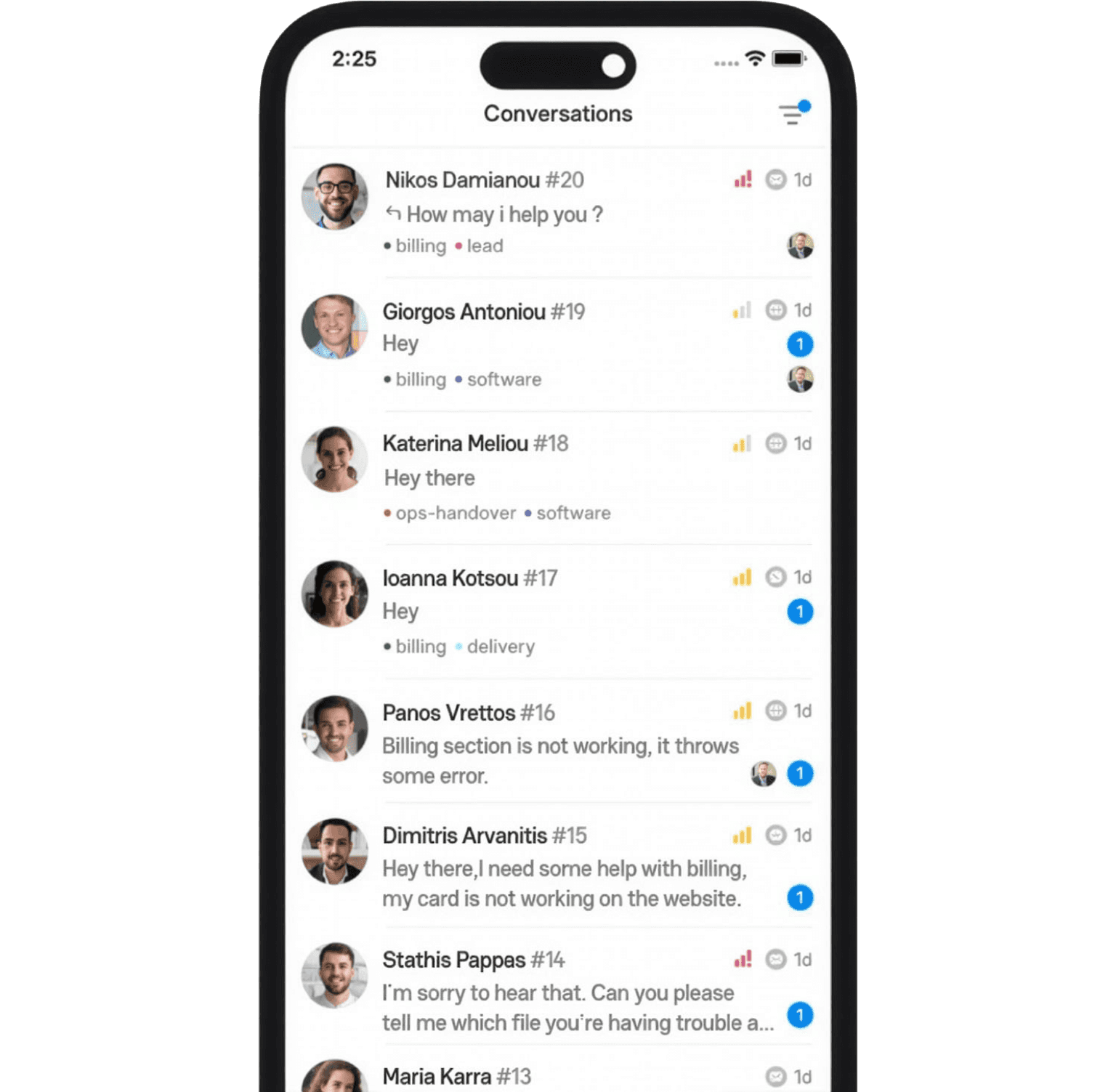
OmniAI on the GO.
Manage chats, leads, and your inbox from our mobile app — now on App Store & Google Play.

OmniAI on the GO.
Manage chats, leads, and your inbox from our mobile app — now on App Store & Google Play.

OmniAI on the GO.
Manage chats, leads, and your inbox from our mobile app — now on App Store & Google Play.

OmniAI on the GO.
Manage chats, leads, and your inbox from our mobile app — now on App Store & Google Play.